 Calc²
Calc²
MCGA
Make calculator
great again
Remember when your phone's calculator just worked? Then the buttons went round, and you started missing taps. Calc² is a calculator app that brings back the square keypad of the old iPhone calculator: full buttons edge to edge, zero dead zones, and a clean 0 every time you open it.
Every tap lands. Every time.
- Square buttons
- No missed taps
- Opens at 0
- Scientific mode
- Unit & currency converter
- Calculation history


€2.99 once. No ads, no subscription, no tracking.
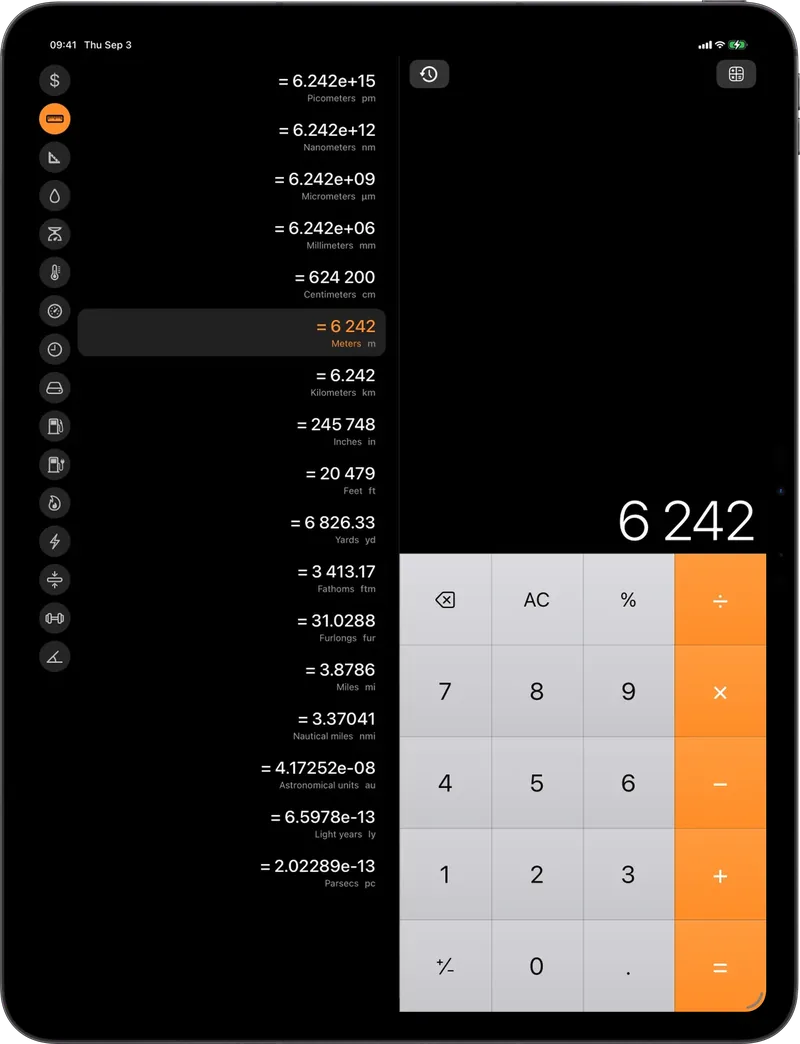
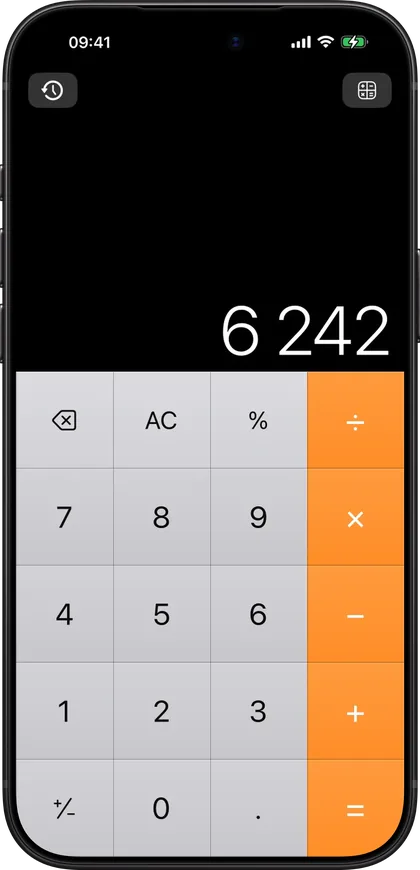
iPhone · iPad. One purchase, both.
Android on Google Play, bought separately.
Everything the old one did. And a few things it never did.
-
Square buttons, no missed taps
The layout the iPhone calculator had before its keys turned into circles: grey numbers, orange operators, a true-black display, and no gaps between the buttons. Wherever your thumb lands, a key is there. No missed taps, no silent wrong digits.
-
Opens at 0, ready to work
Open it and the display is clean, every time. Nothing to clear first, and no digits landing on the end of a total you forgot was there. Every step you did take is in the calculation history, one scroll away.
-
Scientific calculator
One tap away in the menu, portrait or landscape: sin, cos, tan, log, powers, roots, percent, factorial, memory keys and a Rad/Deg switch.
-
Unit and currency converter
16 categories, every unit at once: length, weight, temperature, volume, speed, data, energy, pressure and more. Currency uses daily European Central Bank rates and keeps working offline. On iPad and Android tablets it sits right beside the keypad.
-
Calculation history
Every calculation is kept, newest first. Tap any result to put it back on the display and keep going. Delete one, or clear them all.
-
No ads. Pay once, own it
€2.99, no ads, no subscription, no account, no tracking. Nothing leaves your phone. Speaks 30 languages and follows your phone's automatically.
Questions people actually ask.
- Can I get the old iPhone calculator back?
- Not the built-in one: iOS cannot roll back or replace a system app, so the only route is a separate calculator app. Calc² is that app, with the square, edge-to-edge keypad the iPhone calculator had before iOS 11 turned its keys into circles.
- Why do I keep hitting the wrong key on my phone's calculator?
- Round keys hide where one key ends and the next begins. Measured on an iPhone 14 Pro, the painted circle covers only 62% of its cell, so a tap near its edge can land on the neighbour: what looks like 9 comes out as 5. Calc² has no gaps between its buttons: each key fills its whole cell, a target with 81% more area than that circle, and every press answers with a light haptic click.
- Does it really open at 0?
- Yes. Every time you open it the display is a clean 0, so nothing gets typed onto an old total. What you calculated before stays in the history.
- Which devices does it run on?
- iPhone and iPad with one App Store purchase (iOS 17 or later), and Android phones and tablets from Google Play, bought separately (Android 8 or later).
- Are there ads or a subscription?
- No. Calc² costs €2.99 once: no ads, no subscription, no in-app purchases, no account and no tracking.
- Does it work offline?
- Yes, all of it. Currency conversion uses the European Central Bank's daily rates and keeps the last downloaded set when you are offline.